Showing posts with label Oracle. Show all posts

Thursday, 25 May 2017

Weblogic Server Installation 11g 10.3.3 on MS Windows 7

We download the Oracle Weblogic server from here. We started the installer and will see at the beginning the initial loading. Wait until the loading of the installer completes.

Once the installer screen pops up click Next to continue.
We are prompted to enter the Middle Home type and the Middleware Home Directory. In the case is entered the d:\oracle\Middleware. Press Next to continue.
Enter the credentials to login into My Oracle support (formerly Metalink). You can skip the registration for security updates and the initiation of the Configuration manager. I will skip entering the credentials and will use smart update later. Smart update is invoked from bsu folder and is an executable file named bsu. Press Next to continue.
We are going to perform a single node installation and we select typical installation. Press Next to continue.
Select the directories for Oracle weblogic server install and press Next to continue.
Select the recommended option to create shortcut on all admin users. Press Next to continue.

Review situated on the installation summary the components pending install. When comfortable press Next to continue.
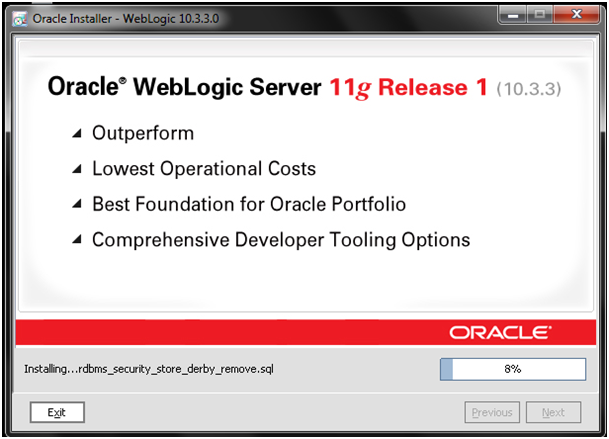
Wait until install completes and press Next to continue.
Check the quick start and press Done to launch the Quick Start.
As this is a fresh install of the Oracle WebLogic server 11g 10.3.3 select “Getting started with WebLogic Server 10.3.3”
As this is a fresh installation select “Create a new WebLogic domain” and then press Next to continue.
Select to “Generate a domain configured automatically to support the following products:” and check the check boxes within the category. Press Next to continue.

Enter the name and the location of the domain and press Next to continue.
Configure the Administrator user name and password and press Next to continue.

Configure the WebLogic domain startup mode and select the JDK. We select the Development mode and select Sun SDK. Press Next to continue.

Select the optional configuration. Although this section can be left blank for information purpose we will delve and zoom in into the details.
Check all check boxes and press Next to continue.

In the “Configure the Administration Server” screen select the name, IP address, http and/or https ports depending on availability of enabled SSL
Select the JMS Distributed Destination type and press next to continue.
Select an additional managed server. Select listen location (lP addresses) and the regular and SSL listen ports if SSL is enabled. Press Next to continue.


We will skip cluster configuration. This is an option for High Availability. Live screen blank and enter Next to continue.
In the configure machines specify the hostname properties (hostname, IP address and port) on the machine where the install takes place. Press Nest to continue.
Assign servers to the machines. Press Next to continue.
Assign a target services to the select servers and cluster. Press Nest to continue.

Configure JMS file stores and press Next to continue.
On the next screen the Oracle database security store can be configured. We will leave it blank for the moment and will press Next to configure.
We are presented the configuration summary screen to review. If this is what we have been looking for Press Next to continue.
Select start admin server and wait until the installation completes. Then press Done to continue.
We start the web logic server and go to the URL to login into the Oracle Web logic server.
We login using the credentials that we specified when asked to specify new Oracle WebLogic Server domain and user credentials. Press Login to continue.
We can navigate into Oracle web server installation to verify that the installation succeeded.

That concludes Oracle Weblogic Server installation.


Thursday, 28 May 2015

People want to know, how they dynamically populate a pop list? Means, At run time pop list will be populate. So there is no hard coded list element. Don't want to wait ?

You are at right place to learn it.

For this example code, i used SCOTT schema and DEPT table. You have to select privilege on the table.

It's a simplest example, First create a non-database block named DUMMY. create an item with type List Item named TXT_LIST. Data type CHAR, Length 30.
Now create a When-New-Form-Instance trigger at form/block level and write down the following code,

DECLARE
group_id RecordGroup;
group_name varchar2(10) :='abc';
status NUMBER;
BEGIN
group_id := find_group(group_name);
if not id_null(group_id) then
delete_group(group_id);
end if;

group_id := Create_Group_From_Query(group_name,'select DNAME,TO_CHAR(DEPTNO) from DEPT');
/* Select statement must have two column*/
status := Populate_Group(group_id);
Populate_List('DUMMY.TXT_LIST',group_id);
END;


Hope it works...

Tuesday, 3 February 2015

On-Message Trigger form level in oracle form 11g:-  this is common for all form.

DECLARE
BEGIN
   
   IF MESSAGE_TYPE = 'FRM' AND MESSAGE_CODE = 40400 
   THEN
      IF frmpkg_export.v_user_selected = 'D' 
      THEN
         message('Deleted Successfully', NO_ACKNOWLEDGE);
      ELSE
         message('Saved Successfully', NO_ACKNOWLEDGE);
      END IF;
   ELSIF MESSAGE_CODE = 40401 or MESSAGE_CODE = 40102 or MESSAGE_CODE = 40405 or MESSAGE_CODE = 40404 
   THEN
      NULL;
   ELSE
   message(MESSAGE_TEXT);
   END IF;
   

END;


On-Error Triggger in Form level :- this is common for all form

DECLARE
BEGIN

   IF INSTR(DBMS_ERROR_TEXT, 'ORA-') = 1 AND DBMS_ERROR_CODE <> -1403
   THEN
      frmpkg_export.v_backend_err := 'Y';
   ELSIF  ERROR_CODE = 40401 OR ERROR_CODE = 40102 OR ERROR_CODE = 40405 OR ERROR_CODE = 41051
   THEN
   NULL;
   ELSE
     IF DBMS_ERROR_CODE <> 01403
     THEN
         message(ERROR_TEXT);
      END IF;
   END IF;
   
END;

Wednesday, 10 December 2014

Report Printing code in oracle forms 11g  With parameter

DECLARE          
   v_parameter_id PARAMLIST;
   v_report_title  VARCHAR2(200) := NULL;
   v_finyear_title VARCHAR2(200) := NULL;
   v_branch_title  VARCHAR2(200) := NULL;
   v_period_title  VARCHAR2(200) := NULL;
   v_report_code   fatempreport.report_code%TYPE;
   
  --Code added by CTE
  REPORT_ID      Report_object;

BEGIN

   IF frmpkg_general.data_check() = TRUE 
THEN
   
 v_parameter_id := get_parameter_list('REPOPARAMETER');
 
  IF NOT id_null(v_parameter_id) 
  THEN
      destroy_parameter_list(v_parameter_id);
  END IF;

 v_parameter_id := create_parameter_list('REPOPARAMETER');
 IF NOT id_null(v_parameter_id) 
 THEN
 
         add_Parameter(v_parameter_id, 'DESTYPE', TEXT_PARAMETER, null);
    add_Parameter(v_parameter_id, 'DESFORMAT', TEXT_PARAMETER, null);
    add_Parameter(v_parameter_id, 'DESNAME', TEXT_PARAMETER, null);
    add_Parameter(v_parameter_id, 'COPIES', TEXT_PARAMETER, 1);
  add_parameter(v_parameter_id, 'PARAMFORM', TEXT_PARAMETER, 'NO');
         add_parameter(v_parameter_id, 'P_COMPANY_NAME', TEXT_PARAMETER,                                :GLOBAL.g_company_name);
         Message('Processing, Please wait....', NO_ACKNOWLEDGE);
         SYNCHRONIZE;
      
      IF :PARAMETER.P_REPORT_TYPE = 'JOURNAL_PERIOD_WISE'
      THEN

         v_finyear_title := TO_CHAR(:report_block.txt_from_date,:GLOBAL.g_date_format) || ' - ' || TO_CHAR(:report_block.txt_to_date,:GLOBAL.g_date_format);
         v_branch_title := :GLOBAL.g_branch_name;
         v_report_title  :=  :report_block.txt_journal_name;
         v_period_title := TO_CHAR(:report_block.txt_from_date,:GLOBAL.g_date_format) || ' - ' || TO_CHAR(:report_block.txt_to_date,:GLOBAL.g_date_format);
add_parameter(v_parameter_id, 'P_BOOK_CODE',TEXT_PARAMETER, :report_block.lb_journal);
add_parameter(v_parameter_id,'P_BRANCH_CODE',TEXT_PARAMETER,:GLOBAL.g_branch_code);
add_parameter(v_parameter_id, 'P_BRANCH_TITLE', TEXT_PARAMETER, v_branch_title);
add_parameter(v_parameter_id,'P_FINYEAR_CODE',TEXT_PARAMETER,:GLOBAL.g_finyear_code);
add_parameter(v_parameter_id, 'P_FINYEAR_TITLE', TEXT_PARAMETER, v_finyear_title);
add_parameter(v_parameter_id,'P_FROM_DATE',TEXT_PARAMETER,:report_block.txt_from_date);
add_parameter(v_parameter_id, 'P_PERIOD_TITLE', TEXT_PARAMETER, v_period_title);
add_parameter(v_parameter_id, 'P_REPORT_TITLE', TEXT_PARAMETER, v_report_title);
add_parameter(v_parameter_id, 'P_VOUCHERTYPE', TEXT_PARAMETER, :report_block.txt_voucher_type); 
add_parameter(v_parameter_id, 'P_TO_DATE', TEXT_PARAMETER, :report_block.txt_to_date);
add_parameter(v_parameter_id, 'P_HIDE_CANCELLED', TEXT_PARAMETER, :report_block.chk_hide_cancelled);
    
REPORT_ID:=FIND_REPORT_OBJECT('REPOBJ');
                      SET_REPORT_OBJECT_PROPERTY(report_id,REPORT_FILENAME,'JournalPeriodWise');
                   web_report_xl(REPORT_ID, v_parameter_id);
      END IF;
         
         Message(' ');

  destroy_parameter_list(v_parameter_id);
 END IF;
 
   END IF;
END;

/*----------------------------Excel Print------------------*/
PROCEDURE WEB_REPORT_XL (REPID REPORT_OBJECT, PLID PARAMLIST)IS
  REPORT_JOB_ID     VARCHAR2(100);  
  REP_STATUS        VARCHAR2(100);  
  REPORTSERVERJOB   VARCHAR2(100);    
BEGIN  
SET_REPORT_OBJECT_PROPERTY (REPID,REPORT_COMM_MODE,SYNCHRONOUS);
  SET_REPORT_OBJECT_PROPERTY (REPID,REPORT_DESTYPE,CACHE);                
  SET_REPORT_OBJECT_PROPERTY (REPID,REPORT_DESFORMAT,'SPREADSHEET');
SET_REPORT_OBJECT_PROPERTY (REPID,REPORT_SERVER,'repserv');
  REPORT_JOB_ID := RUN_REPORT_OBJECT (REPID,PLID);  
  REP_STATUS := REPORT_OBJECT_STATUS (REPORT_JOB_ID);  
  IF REP_STATUS = 'FINISHED' THEN
WEB.SHOW_DOCUMENT ('http://100.100.11.100:8888/reports/rwservlet/getjobid='||substr(report_job_id,instr(report_job_id,'_',-1)+1)||'?server='||'repserv'||'+MIMETYPE=REPORTS/LOCAL','_self');
ELSE
    MESSAGE ('Report Failed with Error - ' || REP_STATUS);
  END IF;
END;

/*----------------------------Pdf Print------------------*/
PROCEDURE WEB_REPORT (REPID REPORT_OBJECT, PLID PARAMLIST)IS
  REPORT_JOB_ID     VARCHAR2(100);  
  REP_STATUS        VARCHAR2(100);  
  REPORTSERVERJOB   VARCHAR2(100);    
BEGIN  
SET_REPORT_OBJECT_PROPERTY (REPID,REPORT_COMM_MODE,SYNCHRONOUS);
  SET_REPORT_OBJECT_PROPERTY (REPID,REPORT_DESTYPE,CACHE);                
  SET_REPORT_OBJECT_PROPERTY (REPID,REPORT_DESFORMAT,'PDF');
SET_REPORT_OBJECT_PROPERTY (REPID,REPORT_SERVER,'repserv');
  REPORT_JOB_ID := RUN_REPORT_OBJECT (REPID,PLID);  
  REP_STATUS := REPORT_OBJECT_STATUS (REPORT_JOB_ID);  
  IF REP_STATUS = 'FINISHED' THEN
WEB.SHOW_DOCUMENT ('http://100.100.100.11:8888/reports/rwservlet/getjobid='||substr(report_job_id,instr(report_job_id,'_',-1)+1)||'?server='||'repserv','_blank');
ELSE
    MESSAGE ('Report Failed with Error - ' || REP_STATUS);
  END IF;
END;


This is the code show how to auto refresh the values shown in the form it will auto refresh in every 5 min or given time and display the result.

1) you need to design the form as per your requirement
2)then you need to write code in two trigger
   a).WHEN-TIMER-EXPIRED
   b).WHEN-NEW-FORM-INSTANCE


a).WHEN-TIMER-EXPIRED :

DECLARE 
  timer_id  TIMER
  v_count NUMBER;
  CURSOR CFP 
  IS 
  select BMR.BMRBATCHMST_CODE,bmr.BMR_no,bmr.BMR_DATE,bmr.batch_code,IT.description pro_desc,decode(PROCESS_CATEGORY_STATUS,'INP','INPROGRESS - ') ||' UNDER - '||CM.description as status from BMRPRODUCTBATCHMASTER BMR,items IT,
  BMRBATCHPROCESSCATEGORY BPC,pdssstepcategory CM where bmr.product_code = it.sl_no and BPC.PROCESS_CATEGORY = CM.code
  and BPC.BMRBATCHMST_CODE = BMR.BMRBATCHMST_CODE and PROCESS_CATEGORY_STATUS = 'INP' order by BMR.BMRBATCHMST_CODE ;
BEGIN   
  timer_id := FIND_TIMER('refresh_timer');
   BEGIN

        GO_BLOCK('SHOWATTENDANCEDETAILS_BLOCK');
        Clear_Block(No_Validate);
       For mFP  IN CFP  LOOP 
        :showattendancedetails_block.BMRBATCHMST_CODE := mfp.BMRBATCHMST_CODE;
        :showattendancedetails_block.BMR_NO := mfp.BMR_no;
        :showattendancedetails_block.BMR_DATE := mfp.BMR_DATE;
        :showattendancedetails_block.BATCH_NO:= mfp.batch_code;
        :showattendancedetails_block.PRODUCT_NAME := mfp.pro_desc;
        :showattendancedetails_block.STATUS:= mfp.status;
          NEXT_RECORD;
        SYNCHRONIZE;
       END LOOP;
    
 END; 
END;

b).WHEN-NEW-FORM-INSTANCE

DECLARE
   v_count NUMBER;
   timer_id Timer
   five_sec NUMBER(5) := 15000;

BEGIN

timer_id := CREATE_TIMER('refresh_timer', five_sec,REPEAT);

EXCEPTION
   WHEN NO_DATA_FOUND 
   THEN
     exit_form(NO_VALIDATE);

END;


Here You can see Full output of the form 


Saturday, 11 October 2014

In oracle forms i want to check in text field that is check whether user entered only number values or not for example phone number or tin number or zip code  so on....

Hear is the code to check whether user entered only numeric value or not using  PL/SQL code?

CREATE OR REPLACE FUNCTION NUMBER_CHECK (P_INPUT VARCHAR2)
    RETURN   NUMBER IS
    v_i      NUMBER := 0;
    v_length NUMBER := 0;
    v_select VARCHAR2(10);
    v_count  NUMBER := 0;
    v_return NUMBER;
    BEGIN
    v_length := length(P_INPUT);
    LOOP
     v_i :=  v_i + 1;
        SELECT  SUBSTR(p_input,v_i, 1)
        INTO    v_select
        FROM    dual;
        SELECT COUNT(*)
        INTO   v_count
        FROM   faaccountmaster
        WHERE REGEXP_LIKE (v_select,'[0-9]');
        IF  v_count = 0 THEN
            v_return  := 0;
            EXIT;
        ELSE
            v_return  := 1;
        END IF;
        IF v_i = v_length THEN
           EXIT;
        END IF;
    END LOOP;
    RETURN v_return;
    END NUMBER_CHECK;

Friday, 26 September 2014

we can easily transfer data from one block to another block in oracle forms using checkbox with image.


check the code below

>> transfer data from one block to another block only selected data
begin

go_block('fromcustomer_block');
 first_record;

  loop
    go_block('tocustomer_block');
    if :fromcustomer_block.ck_from = 'Y' then
     :tocustomer_block.to_cust_name := :fromcustomer_block.from_cust_name;
:tocustomer_block.to_cust_code := :fromcustomer_block.from_cust_code;
 :tocustomer_block.ck_to :='Y';
 end if;
     next_record;

     go_block('fromcustomer_block');
      exit when :system.last_record = 'TRUE';
      next_record;    
  end loop;
  first_record;
  go_block('tocustomer_block');
  first_record;
  
  end;

<< removing data from another block only selected data

begin
    go_block('tocustomer_block');
            first_record;
LOOP
if :tocustomer_block.ck_to = 'Y'   then
clear_record;
end if;
EXIT WHEN :SYSTEM.LAST_recORD='TRUE';
Next_Record;
END LOOP;

  end;

Update Code:

begin
if :SALESEXECUTIVE_BLOCK.to_se_code is null then 
     libpkg_general.msgbox('please select the sales exicutive to update', 'Sales');
     return;
        end if;
go_block('tocustomer_block');
if :tocustomer_block.to_cust_code is null then 
libpkg_general.msgbox('Please Tranfer the Customer first', 'Sales');
return;
end if;
if :SALESEXECUTIVE_BLOCK.ck_toselect = 'Y' and :tocustomer_block.to_cust_code is not            null  and   :tocustomer_block.ck_to = 'Y' then
first_record;
loop
if :tocustomer_block.ck_to = 'Y' then
update customer set sales_person2 = :SALESEXECUTIVE_BLOCK.to_se_code where 
code = :tocustomer_block.to_cust_code;
EXIT WHEN :SYSTEM.LAST_recORD='TRUE';
end if;
Next_Record;
END LOOP;
else
libpkg_general.msgbox('Atleast select one ccustomer', 'Sales');
return;
end if;
commit;
              libpkg_general.msgbox('Updaed Successfully', 'Sales');
end;


Just place a text in a report and write this code in pl/sql editor and you can call another report in a main report (calling one report to another report)

function U_sub1FormatTrigger return boolean is
begin
    SRW.SET_HYPERLINK('http://000.000.00.00:0000/reports/rwservlet?LWF+report=LWFEmpCasSubscription+DESTYPE=CACHE+DESFORMAT=pdf+SERVER=repserv'||
    '+P_COMPANY_CODE='||''''||:P_COMPANY_CODE||''''||
    '+P_MEMCOMPANY='||''''||:membercompanycode||''''||
    '+P_CATEGORY='||''''||:cf_category||''''||
  '+P_EMP='||''''||:cf_pemp||''''||
  '+P_TODT='||''''||:P_TODT||'''');

end;

Friday, 19 September 2014

You can fill the data dynamically in detail block in oracle forms just try this code hope it will helpfull for you

PROCEDURE fromcustomer IS
  cursor c is
  select code,name from customer where 
  sales_person2 = :SALESEXECUTIVE_BLOCK.from_se_code;
begin
go_block('fromcustomer_block');
clear_block(no_validate);
for rec in c loop

:fromcustomer_block.from_cust_code := rec.code;
:fromcustomer_block.from_cust_name := rec.name;
:fromcustomer_block.ck_from := 'Y';
 
  NEXT_RECORD;
end loop;
first_record;

END;
Copyright © ORACLE-FORU - SQL, PL/SQL and ORACLE D2K(FORMS AND REPORTS) collections | Powered by Blogger
Design by N.Design Studio | Blogger Theme by NewBloggerThemes.com